

You’ve spent months picking the perfect destination and matching pajamas, but now you’re staring at a blank screen wondering how to make your bachelorette party game templates look just as polished as the rest of the weekend. It’s completely normal to feel a bit overwhelmed by the logistics of planning. You want a cohesive look for the bride, but you might worry that DIY projects will look messy or that your home printer will let you down with blurry text and smudged ink.
I’m here to tell you that high-end results are actually within your reach. This guide features 15 of the best designs that you can easily customize in Canva to match any aesthetic. We’ll walk through how to edit these templates and print them on premium glossy cardstock so they feel like professional stationery. You’ll learn how to set up your files for a crisp finish and get a roadmap for creating a fun, stylish experience that the whole squad will love. Let’s get started on making these memories look amazing.
Why Choose Editable Canva Templates for Your Bachelorette Party?
Planning a bachelorette celebration is a huge honor, but it also comes with a long to-do list. You want every detail to feel intentional and stylish without spending your entire budget on a graphic designer. Using bachelorette party game templates gives you the best of both worlds. You get professional aesthetics with the freedom to change every detail to fit your specific vision.
Since approximately 80% of bachelorette parties occur within a month of the wedding date, timing is everything. Digital templates offer instant access, so you can start designing the second inspiration strikes. Whether you are planning a multi-day trip or a cozy night in, these tools help you maintain a cohesive look across all your activities without the stress of shipping delays. Canva is a free, beginner-friendly platform, so you don’t need any prior design experience to create something beautiful.
The Benefits of DIY Personalization
Personalization is what turns a simple activity into a meaningful memory. With Canva, you can add the bride’s name and wedding date to every single game card. This small touch makes the party feel curated and high-end. You can also swap out generic trivia questions for inside jokes that only your squad understands. This creates a much more engaging experience than a standard pack of cards from a big-box store. You can even match the fonts and colors to your invitations and favor tags for a perfectly coordinated theme.
Canva vs. Store-Bought Games
Choosing digital templates over store-bought versions is a smart move for your budget and the environment. When you buy a template, you own the file. You can print exactly the number of copies you need, which helps reduce paper waste. If you realize you forgot a guest at the last minute, you just hit print again. Store-bought games are often rigid and difficult to read. If the text is too small for the bride’s grandmother to see, you’re stuck. In Canva, you can easily adjust font sizes or layouts in seconds to ensure everyone can participate.
For the best results, skip the flimsy office paper. Printing your customized games on premium glossy cardstock creates a durable, professional feel. It prevents ink smearing and makes the game cards feel like expensive stationery rather than a home-office project. This simple upgrade ensures your bachelorette party game templates look as good in person as they do on your screen.
15 Must-Have Bachelorette Party Game Templates for Every Vibe
Choosing the right activities is about matching the bride’s personality. Some squads want a wild night out, while others prefer a cozy brunch. These editable Canva party templates allow you to curate the perfect mix of icebreakers and high-energy challenges. We have organized these 15 favorites into categories so you can easily build a schedule that keeps the energy high without feeling rushed.
Classic Trivia and Icebreakers
Kick off the festivities with these seated games. They are perfect for brunch or a relaxed cocktail hour where guests are still getting to know each other.
- 1. How Well Do You Know the Bride?: A classic trivia card that tests the squad on the bride’s personal quirks and favorites.
- 2. He Said She Said: Guests guess which partner made specific statements about their relationship.
- 3. Who Am I?: Guests write down a favorite memory for the bride to read aloud and guess the author.
- 4. Wedding Word Scramble: A fast-paced timed challenge where guests race to unscramble wedding-themed words.
- 5. Find the Guest: A bingo-style icebreaker that encourages everyone to mingle and find people who match specific descriptions.
Interactive and Scavenger Hunt Games
When you’re ready to pick up the pace, these games get everyone moving and interacting with their surroundings.
- 6. Bachelorette Scavenger Hunt: A checklist of funny tasks and photo challenges for a night out on the town.
- 7. What’s In Your Purse?: A point-based game rewarding guests for carrying common or totally random items.
- 8. Drink If…: A social icebreaker where guests take a sip if a specific statement applies to them.
- 9. Bachelorette Bingo: A weekend-long game where guests check off events or phrases as they happen.
- 10. Kiss the Miss Goodbye: A creative printable where guests leave lipstick marks and signatures as a keepsake poster.
Sentimental and Creative Options
Finish the weekend with these thoughtful activities that provide the bride with lasting memories of her favorite people.
- 11. Advice for the Bride Cards: Beautifully designed cards for guests to share their best marriage tips.
- 12. Date Night Ideas Jar: Printable tags for guests to fill with creative date suggestions for the couple.
- 13. Would She Rather?: A fun comparison game where guests guess which of two lifestyle options the bride prefers.
- 14. Over or Under?: Guests guess if specific numbers related to the couple’s history are higher or lower than the truth.
- **15. **Drunk Text or Wedding Vow?
Guests guess whether a ridiculous sentence came from a drunk text or an actual wedding vow.
If you want to ensure your bachelorette party game templates look like they came from a high-end boutique, browse the professional supplies at Hanging with the Kiddos to complete your party kit.
How to Edit and Print Your Game Templates Like a Pro
Taking control of your party planning is a huge win. Personalizing your bachelorette party game templates is the first step toward a Celebrate • Create • Grow mindset. When you handle the details yourself, you gain total creative control. You can ensure every game card matches the bride’s vision perfectly. Follow these simple steps to make your DIY projects look like they came straight from a high-end boutique.
Quick Canva Editing Tips for Beginners
Getting a professional look in Canva is easier than you think. First, use the Position tool to keep your text and graphics perfectly centered. This prevents that amateur look that comes from slightly off-center elements. If the bride has specific wedding colors, use the Canva Brand Kit to save those hex codes for quick application across all your games. Don’t forget to group elements together. This lets you move entire blocks of text without ruining your careful layout. When you’re ready to print, always select the crop marks and bleed option. Canva adds an automatic margin of 0.125 inches to prevent those annoying white slivers on the edges. Finally, always download your file as a PDF Print to maintain a high-resolution 300 DPI finish.
Choosing the Right Paper for a High-End Finish
The secret to professional DIY games isn’t just the design; it’s the materials. Standard printer paper is simply too thin for party games. It feels flimsy and often lets ink bleed through to the other side. Instead, use glossy cardstock paper for a sturdy, premium feel that guests will immediately notice. Cardstock makes the cards much easier for guests to write on, especially if they are playing while standing or lounging on a sofa.
Before you hit print, check your printer settings. You want to select Best Quality or High-Resolution to ensure the colors are vibrant and the text is crisp. Glossy finishes are superior for party games because the smooth surface reflects light, making your colors pop and your designs look significantly more expensive than matte alternatives. This simple choice ensures your bachelorette party game templates leave a lasting impression on every guest.
Grab your party favor printing starter kit here.

Planning the Ultimate Game Night: Tips for the Maid of Honor
Timing is everything when you want to keep the bachelorette party energy alive. Since 92% of these celebrations are now multi-day trips, you have plenty of opportunities to sprinkle in activities without making the weekend feel like a chore. The best way to stay organized is to create a Game Pack for each guest. Put your customized bachelorette party game templates together with a cohesive cover sheet. This simple step makes the group feel like they are part of a curated experience rather than just playing random printouts.
Don’t forget the small details that make a big impact. Have a set of cute, matching pens ready for the group so no one is scrambling to find a pencil at the bottom of their bag. Coordination is what separates a standard DIY party from a professional event. Match your game prizes with your overall party favors to maintain that polished look you’ve worked so hard to achieve.
Timing Your Games Throughout the Weekend
Space out your activities to match the natural flow of the trip. Start with an icebreaker like Find the Guest during the very first cocktail hour. It gets people talking and breaks the ice for guests who haven’t met before. Save trivia games for the natural downtime, like while everyone is doing their hair and makeup to go out. Finish the night with sentimental options like Advice for the Bride or the memory game. These work best when the group is relaxed and ready for a heartfelt moment together.
Prize Ideas and Favor Coordination
You don’t need to spend a fortune on prizes to make the games exciting. Offer small, useful items like mini champagne bottles, luxury lip balms, or scented candles. To keep everything on theme, use printable party favor templates to wrap your prizes. This ensures the winner’s gift looks just as stylish as the game cards they just played.
If you want to master the art of DIY celebrations and create full party collections for every event, consider joining the Party Printable Studio. It’s a fantastic resource for planners who want to grow their skills and access ongoing creative assets. With the right tools and a solid plan, you’ll feel confident in your ability to host a weekend the bride will never forget.
Ready to Host the Best Bachelorette Weekend Ever?
You now have everything you need to create a cohesive, high-end experience for the bride. By choosing editable bachelorette party game templates, you aren’t just saving time; you’re creating custom keepsakes that the whole squad will cherish. Remember that the secret to professional results at home lies in the details. It’s about combining great design with the right materials to build confidence in your creative vision.
Using premium glossy cardstock ensures your games feel sturdy and expensive, while following simple Canva steps keeps your designs crisp and professional. If you want to take your skills further, the Party Printable Studio membership offers step-by-step Canva tutorials to help you master every DIY project with ease. You are officially ready to turn those digital files into beautiful, physical memories.
Shop Editable Bachelorette Game Templates at Hanging with the Kiddos
Planning a celebration is a labor of love, and your dedication to the details will shine through. You’ve got the roadmap and the tools to make this weekend truly unforgettable. It’s time to stop worrying about the logistics and start getting excited for the festivities. You’re going to do an amazing job!
Frequently Asked Questions
What is the best paper to use for bachelorette game cards?
Premium Glossy Cardstock is the top choice for a professional, high-end finish. It prevents ink smearing and feels much more substantial than standard printer paper. Using a heavy weight like 65 or 110 lb cover cardstock ensures the cards are easy to write on even if guests are standing. This sturdy material turns your games into beautiful keepsakes that the bride can save in a memory book after the weekend.
How do I edit a bachelorette party game template in Canva?
Editing your bachelorette party game templates is very simple. Once you click your access link, Canva opens the design directly in your browser. You can double-click any text box to type in the bride’s name or add custom trivia questions. Use the color picker tool to match the wedding palette and drag elements to reposition them. It is a drag-and-drop process that requires zero prior design experience.
Can I print these bachelorette games at a local print shop?
You can definitely take your digital files to a local print center or professional shop. To get the best results, download your final design from Canva as a PDF Print file. Make sure you check the box for crop marks and bleed before downloading. This provides the printer with the extra 0.125 inch margin they need to trim your game cards perfectly without any annoying white edges showing.
How many games should I plan for a bachelorette party?
Aim for three to five structured activities across the entire weekend. Since most celebrations last about two days, you don’t want to overwhelm the schedule with constant gaming. Start with one icebreaker to get the group talking, then use a few trivia cards during downtime. This balance keeps the energy high while still leaving plenty of room for spontaneous fun and relaxation with the rest of the squad.
What are some good prizes for bachelorette game winners?
Choose prizes that feel like a treat but don’t break the bank. Mini champagne bottles, luxury lip balms, and scented candles are always crowd favorites. You can even use printable favor templates to wrap these prizes so they perfectly match your game cards. This level of coordination makes the winners feel extra special and keeps the aesthetic of your event completely cohesive from the first game to the last prize.
Do I need a Canva Pro account to edit party templates?
You don’t need a Canva Pro account to edit most bachelorette party game templates. A free account allows you to change text, swap colors, and download high-resolution files for home printing. While Pro offers extra features like CMYK color modes, the free version is more than enough for creating professional results. You can start designing immediately without any extra monthly costs or paid subscriptions.
Article by
Latoya
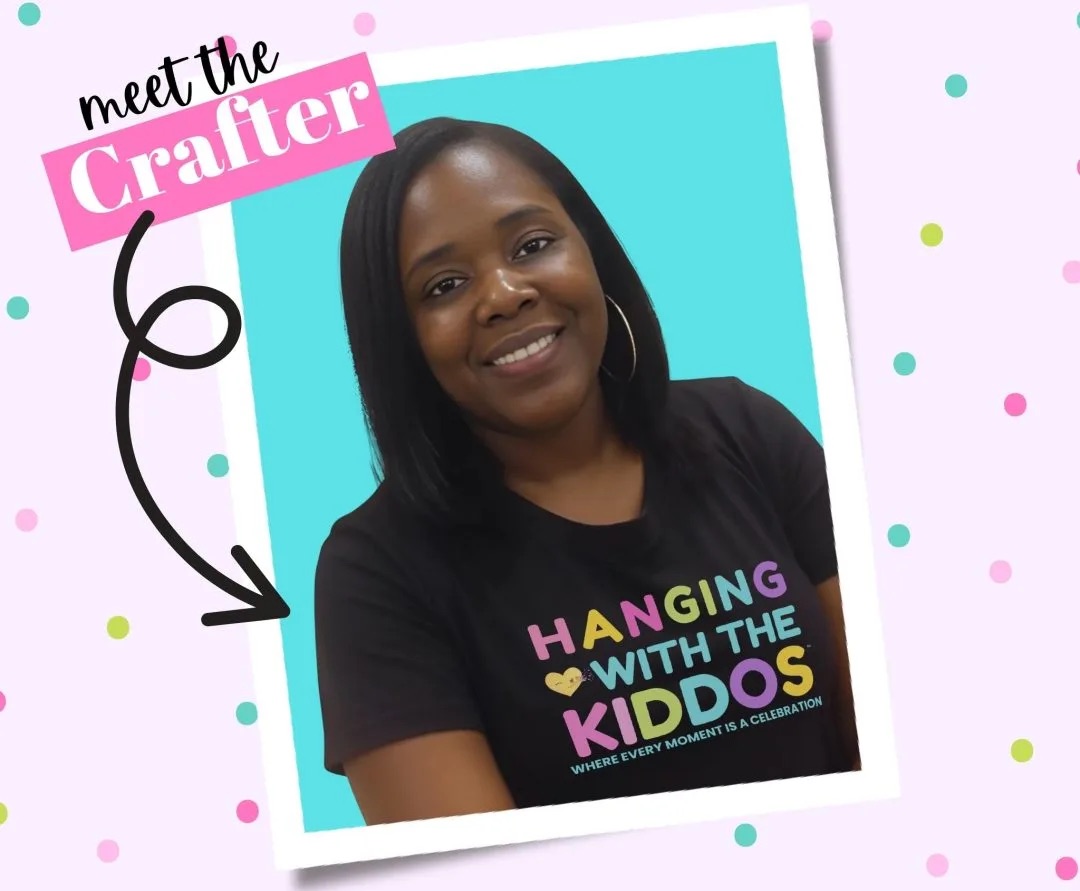
Latoya is the founder of Hanging with the Kiddos, where she helps DIY creators design and print professional-quality party favors at home. Through step-by-step tutorials, editable Canva templates, and the Party & Confetti line of premium printing supplies, she shares practical tips that make creating personalized celebrations easier and more enjoyable. Her mission is simple: help families, creators, and small business owners Celebrate • Create • Grow.
Disclaimer
“This post may contain affiliate links, which means if you choose to make a purchase, I may earn a small commission from purchases made at no extra cost to you. Your support is invaluable in helping me continue providing free content on this site & I really appreciate It!”


